Renewing your Citrix SSL certificate? Don't forget the Cloud Connectors
StoreFront and NetScaler get renewed. The Cloud Connectors hold a bound certificate too, and netsh will refuse to add it a second time.
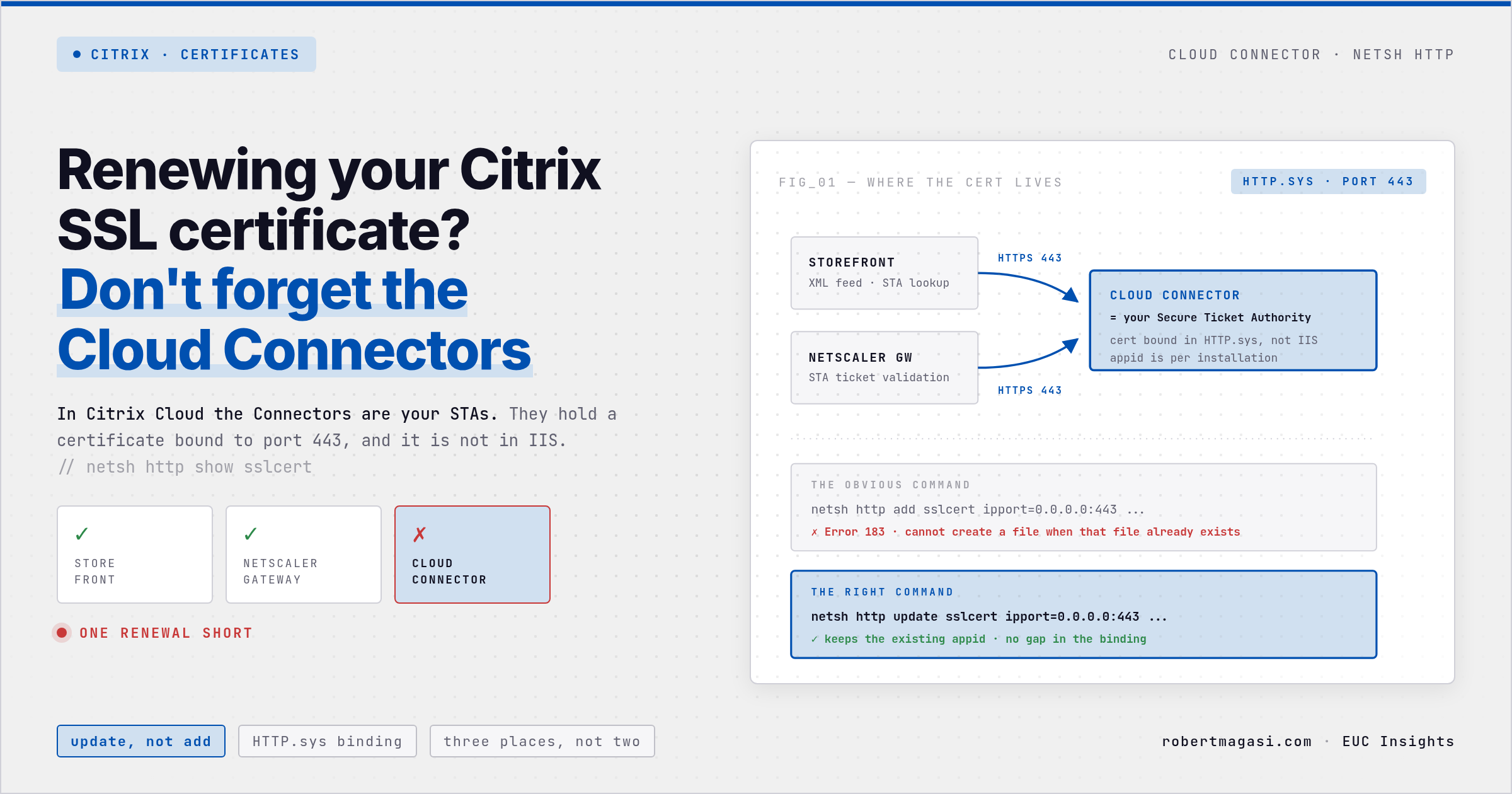
Familiar? Certificate renewal, and in most Citrix environments you think on StoreFront and NetScaler. Both get updated, both get verified, and the change record gets closed. Then a few weeks later launches start failing through Gateway and nobody can explain why.
The Cloud Connectors hold a certificate too.
Quick answer
Each Cloud Connector has its own certificate binding on port 443 in HTTP.sys. Read the Application ID with
netsh http show sslcert ipport=0.0.0.0:443, then swap the thumbprint withnetsh http update sslcerton every connector.netsh http add sslcertfails with Error 183 while a binding exists.
Why the Cloud Connector has a certificate at all
When you enable HTTPS on a Cloud Connector, you bind a certificate to port 443 so StoreFront and NetScaler Gateway can reach the XML service over TLS instead of plain HTTP. Citrix documents this as the recommended configuration, not an option (Cloud Connector Installation, HTTPS Configuration).
The part people forget: in a Citrix Cloud deployment the Cloud Connectors are your STAs. If your StoreFront Secure Ticket Authority URLs start with https://, that TLS terminates on a Cloud Connector, using a certificate that expires like any other.
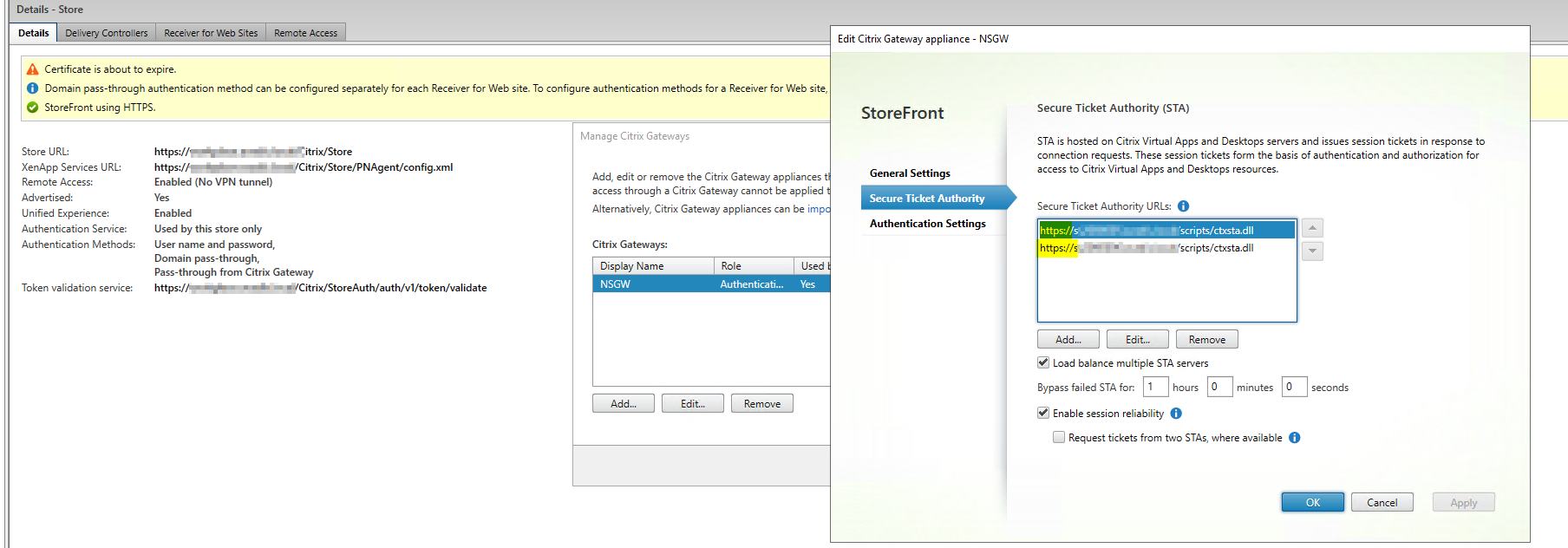 The STA URLs are Cloud Connector FQDNs, over HTTPS
Environment
- Citrix Cloud resource location with Cloud Connectors on Windows Server
- HTTPS enabled on the Cloud Connectors, certificate bound to port 443
- StoreFront and NetScaler Gateway using the Cloud Connectors as STAs over HTTPS
Find what is bound today
The binding is not in IIS and it is not in Citrix Studio. It lives in the HTTP.sys store, so netsh is the only place you will see it:
1
netsh http show sslcert ipport=0.0.0.0:443
Note the Application ID.
Then pull the thumbprint of the new certificate after you have imported it:
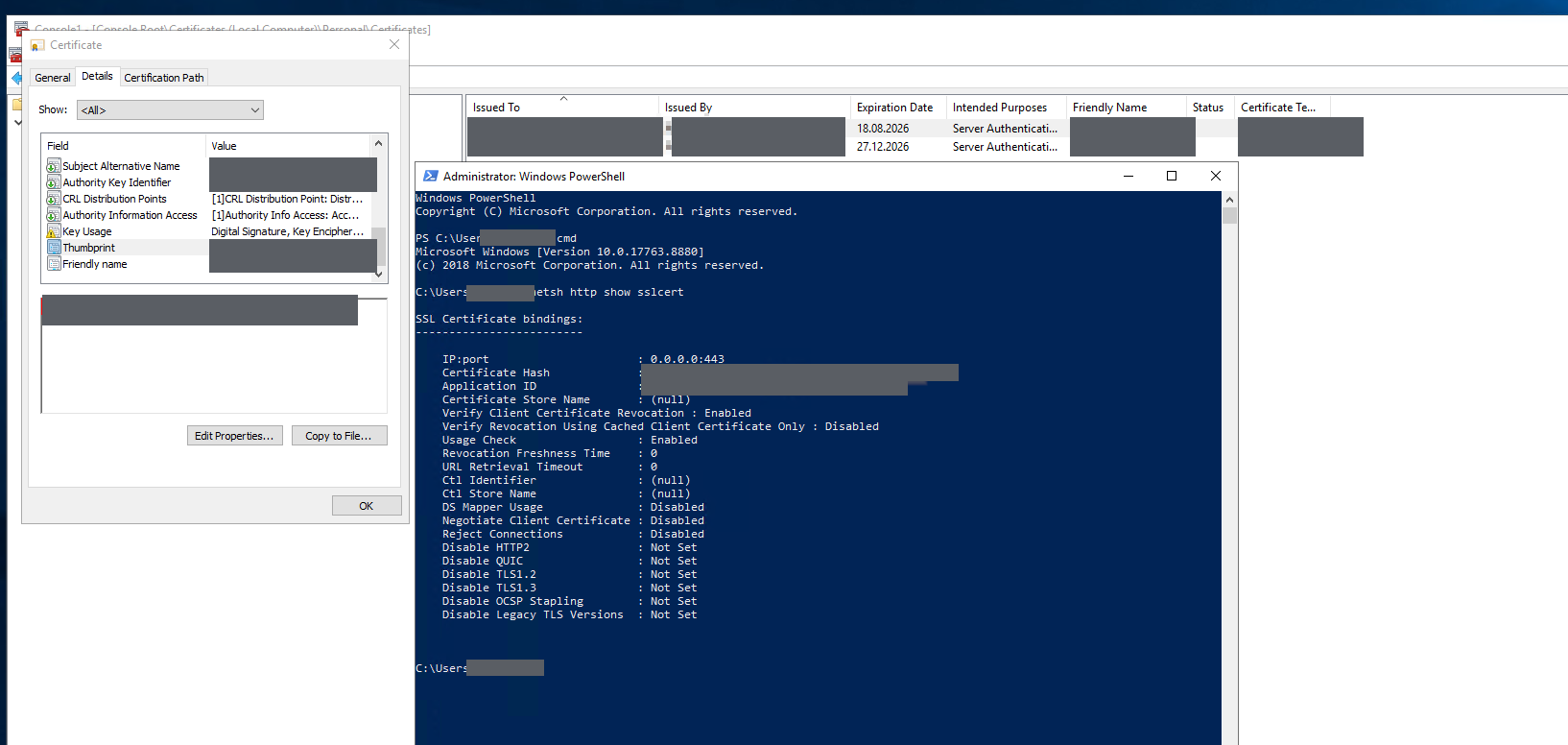 The Certificate Hash in the binding is the thumbprint from the MMC
With Powershell:
1
2
Get-ChildItem -Path Cert:\LocalMachine\My |
    Select-Object FriendlyName, Thumbprint, Subject, NotBefore, NotAfter
Update the binding, do not add it
This is where most renewals go wrong. Running netsh http add sslcert on a port that already has a binding fails with:
1
2
SSL Certificate add failed, Error: 183
Cannot create a file when that file already exists
Citrix documents deleting the binding first, then adding it back (CTX331603). That works, but it leaves the connector with no binding at all between the two commands, and it forces you to supply the Application ID by hand. Use update instead:
1
2
3
netsh http update sslcert ipport=0.0.0.0:443 `
    certhash=<thumbprint-of-the-new-certificate> `
    appid={<application-id-from-the-existing-binding>}
The Application ID is not a constant. Citrix’s own documentation says any valid GUID will do when you first add a binding, because the field only records which application created it. That is precisely why you cannot guess it afterwards. Yours is whatever was used on your connectors, so read it out of
netsh http show sslcertinstead of copying a GUID from a blog post or a KB article.
Verify
Read the binding back and check the Certificate Hash against the new thumbprint:
1
netsh http show sslcert ipport=0.0.0.0:443
No service restart is needed. HTTP.sys picks up the new binding immediately. Repeat on every Cloud Connector in the resource location, they each hold their own binding.
Add it to the checklist
Three places, not two:
| Component | Where the certificate lives |
|---|---|
| StoreFront | IIS binding |
| NetScaler Gateway | Certificate bound to the vServer |
| Cloud Connector | netsh http binding on port 443 |
Related
- HDX Connection Time, the Logon Phase You Should Be Checking - the Cloud Connectors in their other role, the last fallback path for HDX traffic when Rendezvous fails
Verified against the environment described above in August 2026.
Renewing certificates across a Citrix estate and hitting something this article missed? Reach out on LinkedIn.
This post was written with assistance from Claude (Anthropic) as a drafting and editing tool. All technical content, solutions, and recommendations reflect my own hands-on experience and professional judgment.